|
 | |||||||
|
Luca's Old TV Mask allows the user to quickly and easily recreate the look of a CRT monitor screen. (Simulate Viewpoint checkbox will not be available) Watch the tutorial below and download it to try it out.
|
 30 clips reproducing a variety of film effects.
Find out more >  23 brand new cool fx reproducing grungier FilmFx transitions. 23 brand new cool fx reproducing grungier FilmFx transitions.Find out more >  16 dynamic leaders with light and dirt textures. 16 dynamic leaders with light and dirt textures.Find out more >  A selection of freely interpreted light transition effects.
Find out more >  Preview, select and download only the clips you need.
Find out more >  9 new plugins to create, enhance, bring to life ../images light and colors 9 new plugins to create, enhance, bring to life ../images light and colorsFind out more > 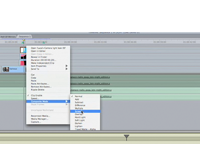 This tutorial demonstrates how the clips are used within an editing programme.
Watch tutorial >  Detailed instructions on how to use both Film Fx and Light Transition clips.
Download PDF >  Commission effects specifically tailored for you!
Find out more >  Download 3 demo clips to test them within your application (Do NOT preview the clips in QT). Please note that these demo clips are watermarked.
Download ZIP >  Read reviews:
Luca Visual FX Brings Grunge Collection to FCP X, Motion and AE at prMac.com > Premiumbeat Giveaway! Alpha Grunge Transitions at Premium Beat > Final Cut Pro X Redux: What Editors Can Accomplish with Apple's Updated Software > Luca Visual FX Film Leaders at FCProducer > FCP X tools, Part 4 – distress effects at Digitalfilms > Luca Visual FX Film and Light Transitions at Digitalfilms > Luca FilmFX & Light Transitions at Kenstone.net > Useful Tools for Editors: Luca Visual FX at StudioDaily.com > Useful Tools for Editors: Luca Visual FX at ToolFarm > Luca Visual FX Announces Film FX 2.0 at Notes on Video >
Find us on the following websites: | ||||||
 |
|||||||
|
|||||||